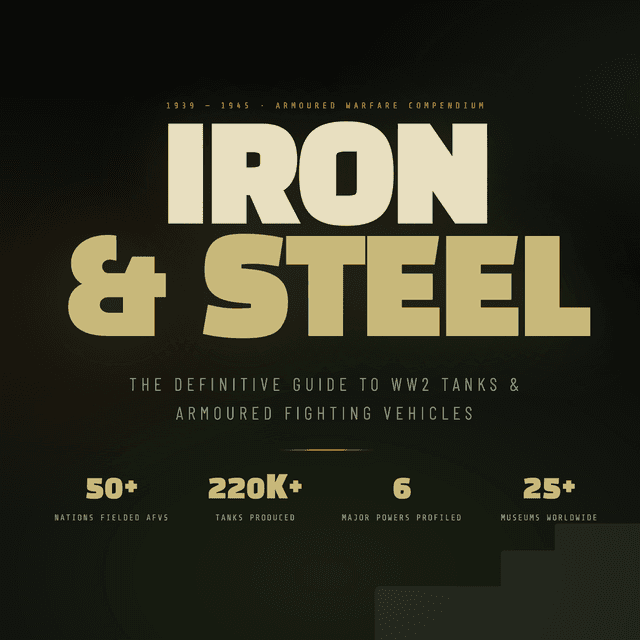
Building Iron & Steel: A WW2 Armour Enthusiast's Website in Next.js
April 2026 · Design & Development
There's a particular kind of obsession that took hold of me when I started learning about World War 2 armoured warfare. One tank led to another. One battle to the next. Before long I was deep in comparative armour tables, debating whether the Tiger I's 88mm gun was worth its chronic mechanical unreliability, or tracing the T-34's evolutionary line from the BT-7 all the way through to Berlin. Iron & Steel started as an excuse to build something for that obsession — and became an exercise in thoughtful frontend engineering along the way.
## The Concept
My goal was a single, rich reference site covering the major armoured fighting vehicles of WW2 — tanks and tank destroyers — organised by nation, alongside a global museum directory and a historical timeline of key armoured engagements. Not a Wikipedia mirror, but a curated enthusiast's compendium: opinionated, visually distinctive, and fast.
I settled on the following content scope:
- 60 tanks across six nations (Germany, USSR, USA, UK, Japan, Italy) — ten per country
- 9 tank destroyer profiles with full technical specifications
- 17 global museums with location details and Google Maps links
- 8 timeline entries covering key moments in WW2 armoured warfare
## Design Direction: Military Industrial
My aesthetic brief was unambiguous: military industrial. That meant a tight, disciplined colour palette drawn from real-world military hardware — olive drab, khaki, weathered rust, and a deep gunmetal for backgrounds. No pastels. No gradients borrowed from SaaS dashboards. Every visual decision had to feel like it belonged on a field manual or a workshop schematic.
Typography
Three typefaces do all the work:
- Black Han Sans — a heavy, condensed display face used for headings and the site name. It reads as monumental without being ornate, which suits the subject matter well.
- Barlow Condensed — a geometric sans used for UI elements, labels, and navigation. Clean and utilitarian.
- Share Tech Mono — a monospaced face reserved for specification data: armour thickness, top speed, weight. Monospace for numbers signals precision; it also carries an unmistakeable analogue-instrument quality.
The combination leans into function over decoration, which is exactly right for a site about machines designed to survive shell impacts.
Motion
I kept animations purposeful and minimal — CSS keyframe scroll-reveal on section entries, subtle lift effects on card hover, and a slow pan on the hero image. Nothing that distracts from the content. If a user has prefers-reduced-motion set, the transitions collapse cleanly.
## Technical Stack
I built the project on Next.js 14 with the App Router, written in TypeScript throughout. Styling is plain CSS with custom properties — no CSS framework, which keeps the build lean and forces every style decision to be intentional.
Data lives in static TypeScript files (tanks.ts, destroyers.ts, museums.ts). For a content set of this size that changes infrequently, a database would be over-engineering. Static data files are trivially auditable, easy to update, and compile-time type-checked.
## The Image Problem (and How I Solved It)
Sourcing over 70 photographs of WW2 vehicles and museums without licensing headaches meant leaning on Wikimedia Commons, which hosts an enormous catalogue of public domain and Creative Commons military imagery. The challenge: Wikimedia URLs can change, articles get renamed, and some vehicles simply don't have a good Commons photograph.
My solution was a three-stage fallback component — SafeImage — that handles failure gracefully at every level:
Tier 1 — Direct URL. Each data entry specifies a Special:FilePath URL pointing to a Commons image by filename. This is more stable than hotlinking a specific upload URL, because Special:FilePath always resolves to the current canonical file regardless of backend storage changes.
Tier 2 — Wikipedia REST API. If the direct URL fails (network error, renamed file, 404), the component fires a request to the Wikipedia REST API using a wikiSlug — the article title for that vehicle or museum. The API returns the article's lead thumbnail, which is almost always a usable photograph.
Tier 3 — Styled placeholder. If both image sources fail, the component renders a CSS-drawn metal-plate placeholder with the vehicle name. No broken image icons. No blank white rectangles. The placeholder is styled consistently with the rest of the UI.
This pattern eliminated all visible image failures in testing, and it degrades gracefully on slow connections — the placeholder appears instantly while image loads are in flight.
One subtlety worth noting: the component initialises its failed state to !src rather than false. This handles the edge case where a data entry has an empty string for its image URL — browsers don't fire onError for src="", so without that initialisation the slot would silently render blank.
## Component Architecture
I composed the page from discrete, self-contained section components:
| Component | Notes |
|---|---|
| Navbar | Fixed, collapses to hamburger on mobile |
| Hero | Full-bleed image with aggregate stats overlay |
| TanksByCountry | Client component — tabbed interface, one tab per nation |
| TankDestroyers | Static grid of destroyer cards |
| Museums | Client component — filterable by world region |
| Timeline | Vertical timeline, CSS scroll-reveal |
| Footer | Navigation links and attribution |
I limited client components ('use client') to sections that genuinely need interactivity — the country tabs and the museum region filter. Everything else renders on the server, keeping the JavaScript payload light.
## Museum Google Maps Integration
Every museum entry in my directory includes a direct Google Maps search link, constructed as:
https://www.google.com/maps/search/?api=1&query=Museum+Name+Location
This approach requires no API key and no Maps SDK. It opens a pre-populated search in the user's browser or Maps app, which is exactly the right behaviour for "I want to find this place."
## What I'd Do Differently
A few things I'd change with more time:
MDX for vehicle write-ups. The longer descriptive text for each vehicle is currently a plain string in the data file. Moving it to MDX would allow richer formatting — pull quotes, inline images, footnotes — without giving up type safety.
Incremental Static Regeneration for images. Rather than fetching Wikipedia thumbnails client-side on fallback, a better pattern would be a build-time script that resolves all images and writes a manifest, with ISR to keep it fresh. This would eliminate the client-side fetch entirely and remove the flash of placeholder-then-image on first load.
Search. With 60+ vehicles, a keyboard-accessible search bar filtering across all sections would meaningfully improve navigation. The data is already structured for it — I just ran out of time.
## Closing Thoughts
Iron & Steel is the kind of project that justifies its own existence — a subject I find genuinely interesting, built with tools I wanted to work with, at a scope small enough to finish but large enough to be worth finishing. The image fallback system turned out to be the most interesting engineering problem in the whole build, which is often how these things go: the detail that seems like a footnote ends up teaching you something useful.
The project is available as a zipped Next.js starter for anyone who wants to run it locally or fork it as a template for a similar catalogue site.
Built with Next.js 14 · TypeScript · Plain CSS · Wikimedia Commons


Comments
Loading...